
The fastest way to recharge an Etisalat prepaid line is Quick Pay: no login, no app, just your mobile number and a card, done in under a minute. Two things catch people out, though. Only cards issued in the UAE or a GCC country are accepted, and a single online recharge is capped at AED 300.
One point of confusion first. Etisalat is now branded e& UAE. Some official payment pages still sit on etisalat.ae web addresses and still say “Etisalat,” and that’s normal, not a sign the page is fake or outdated. The recharge service is the same whether the page reads Etisalat or e&.
This guide covers every official way to top up a prepaid (Wasel) number, what each one is best for, and the card and limit rules that decide whether your payment actually goes through.
Etisalat recharge channels
| Method | Login | Best for | Payment | Notes |
|---|---|---|---|---|
| Quick Pay (web) | No | Fast one-off top-ups | UAE/GCC credit or debit card | AED 300 cap per recharge |
| e& UAE app | Yes (OTP) | Saved cards, usage tracking, bundles | Saved UAE/GCC card | Full account management |
| Recharge card / eVoucher | No | Cash top-ups, no card needed | Cash (buy the card) | Dial *120*<card number># |
| e& Payment Machine (EPM) | No | In-person top-ups | Cash or card | At e& outlets and other locations |
| Bank ATM / online banking | Via bank | People who already bank online | Bank account | Through your bank’s own channels |
| Autopay | Yes | Never missing a top-up | Saved card | Scheduled, free to set up |
| Credit transfer | No | Sending balance to another line | Your own prepaid/postpaid credit | Dial *100*number*amount# |
Recharging with Quick Pay
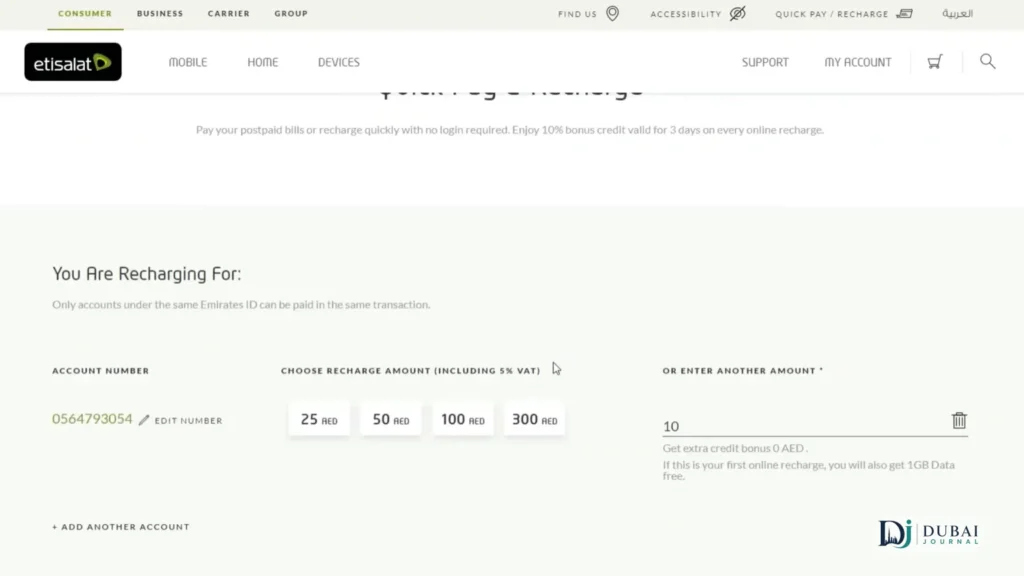
Quick Pay is the no-login web route, and for a straightforward top-up it’s the quickest option on any device.
- Go to the official e& Quick Pay page at etisalat.ae/quickpay.
- Enter the prepaid mobile number you want to recharge. You can top up your own line or someone else’s.
- Enter the recharge amount, up to AED 300 in a single transaction.
- Confirm the number and amount on the review screen.
- Pay with a UAE- or GCC-issued credit or debit card. A UAE FAB debit card or other local card works; foreign cards usually don’t.
- Wait for the confirmation. The balance and an SMS usually land within 5 to 30 seconds.
If you need to add more than AED 300, run a second transaction. There’s no limit on how many separate recharges you make, and e& doesn’t add any service or processing fee on top of the amount you recharge.
Recharging with the e& UAE app
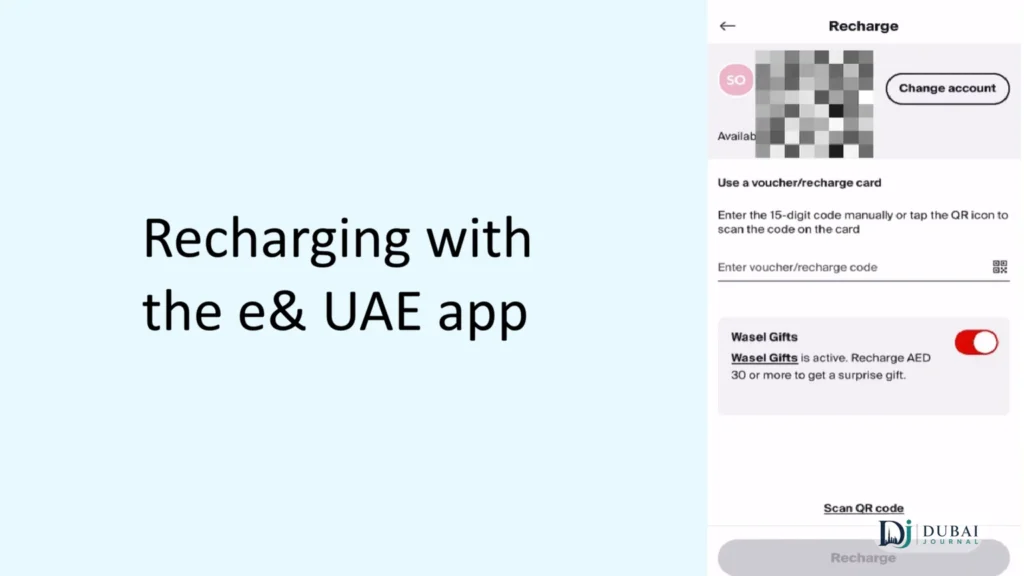
The app (formerly My Etisalat UAE) is the better choice if you recharge often, want to save a card for one-tap top-ups, or need to see exactly what data and minutes you have left before deciding how much to add.
- Download the e& UAE app from the Apple App Store or Google Play.
- Log in with your mobile number and the one-time password (OTP) sent to it.
- Open the Recharge section from the main dashboard.
- Enter the number to top up, then choose a plain recharge amount or browse the available data and combo bundles.
- Pay with a saved card or add a new UAE/GCC card.
- Check for the confirmation message that the top-up has landed.
The app is also where you manage bundles, track usage day to day, and set up Autopay, which a browser Quick Pay session doesn’t do.
Other official ways to recharge
Beyond the app and Quick Pay, e& runs several other channels, and some suit situations where you don’t have a card handy or want the balance to top up on its own.
- Recharge card or eVoucher. Buy a physical card or a digital voucher from any e& outlet, supermarket, petrol station, or partner shop. Then dial
*120*<card number>#and the credit is added instantly. This is the go-to when you’re paying cash and don’t want to use a card online. - e& Payment Machines (EPMs). Self-service kiosks at e& outlets and other locations across the UAE let you recharge in person with cash or a card.
- Bank ATM or online banking. You can recharge a prepaid number through your own bank’s ATM, online banking, or mobile banking, if the bank offers e& top-ups as a service. The same machines used for an ATM balance check often have an e& recharge option on the menu.
- Autopay. Set a fixed amount and date, and the recharge runs automatically so the line never lapses. It’s free to set up through the website or app.
- Credit transfer. To move balance from your own line to another prepaid number, dial
*100*<mobile number>*<amount>#, then confirm. For example,*100*0501234567*13#sends AED 13. The credit transfer service allows AED 2 to AED 150 per transaction, up to AED 150 a day, with a monthly ceiling of AED 1,500 for prepaid senders.
Card rules and the AED 300 limit
Most failed online recharges come down to two rules, so it’s worth knowing them before you start.
- Card origin. Only credit and debit cards issued in the UAE or a GCC country work on the official online channels. Cards registered abroad, and American Express in many cases, are declined. If you’re outside the UAE with a foreign card, the official web and app flows often won’t complete, and you’d need someone with a local card or a recharge card instead. Payroll cards such as My Pay Card also count as UAE-issued debit cards when they have a local BIN.
- Recharge cap. A single online recharge tops out at AED 300. That’s per transaction, not a monthly allowance, so you can recharge again straight away if you need more balance.
- No extra fee. e& doesn’t charge a service or processing fee for standard online recharges paid with an eligible card. The amount you enter is the amount that leaves your account.
Third-party recharge apps and reseller sites also exist for Etisalat top-ups, but they may add a markup and accept different payment types. The official e& channels above are fee-free and credit the balance directly.
The 15% bonus credit
e& currently advertises 15% free bonus credit on every online recharge, which is a real incentive to top up online rather than with a physical card. A few conditions matter.
The bonus is promotional, not a permanent feature, and the exact rate can shift. The website headline shows 15%, while the app has at times shown a 10% version valid for three days, so the figure you actually get depends on the channel and the promotion running when you recharge. Bonus offers like these typically apply from a minimum recharge of AED 10.
Bonus credit also behaves differently from your main balance. It usually carries a short validity window of a few days and is meant to be used on calls and data within that time, while your main credit lasts far longer. Treat the bonus as a short-term extra to spend soon, not as money banked for later.
After you pay
A successful recharge is close to instant. The balance updates and you get an SMS confirmation, usually within seconds and almost always inside a minute. Quick Pay also sends an email confirmation where you’ve entered an address.
If the balance hasn’t updated, give it 10 to 15 minutes before assuming something went wrong, since occasional processing delays happen. If it still hasn’t landed and your card was charged, contact e& customer care on 101 with the transaction details, and they can trace the payment or arrange a correction. Keeping the confirmation SMS or the card statement line makes that call much faster.
If a payment is declined outright, your card generally isn’t charged, and an error message appears. That’s almost always the card-origin rule at work, so switch to a UAE- or GCC-issued card, or use a recharge card bought with cash.
Which method to pick
For a quick one-off top-up with a local card, use Quick Pay: it’s the fewest steps and needs no login. If you recharge regularly, install the e& UAE app, save your card, and turn on Autopay so the line tops up on its own. If you’re paying cash or don’t have an eligible card, buy a recharge card and dial *120*<card number>#. And to help out another prepaid line, send a credit transfer with *100*<number>*<amount>#.
FAQ
Is Etisalat the same as e&?
Yes. Etisalat rebranded to e& UAE, and the prepaid recharge service is the same. Some official payment pages still use etisalat.ae addresses and the Etisalat name, which doesn’t make them unofficial or outdated.
Do I need to log in to recharge?
Not for Quick Pay on the website, which only needs the mobile number, the amount, and a card. The e& UAE app does require a login via a one-time password sent to your number.
Why was my card declined?
The most common reason is card origin. Only UAE- or GCC-issued credit and debit cards are accepted for online recharges, and cards registered abroad, including many American Express cards, are declined.
What’s the maximum I can recharge online?
AED 300 per transaction. It isn’t a monthly cap, so you can make more than one recharge if you need additional balance.
Is there a fee to recharge online?
No. e& doesn’t add a service or processing fee for standard online recharges paid with an eligible card.
How long does the recharge take?
Usually 5 to 30 seconds. You get an SMS confirmation, and an email one through Quick Pay, once the balance is credited.

1 pingback