
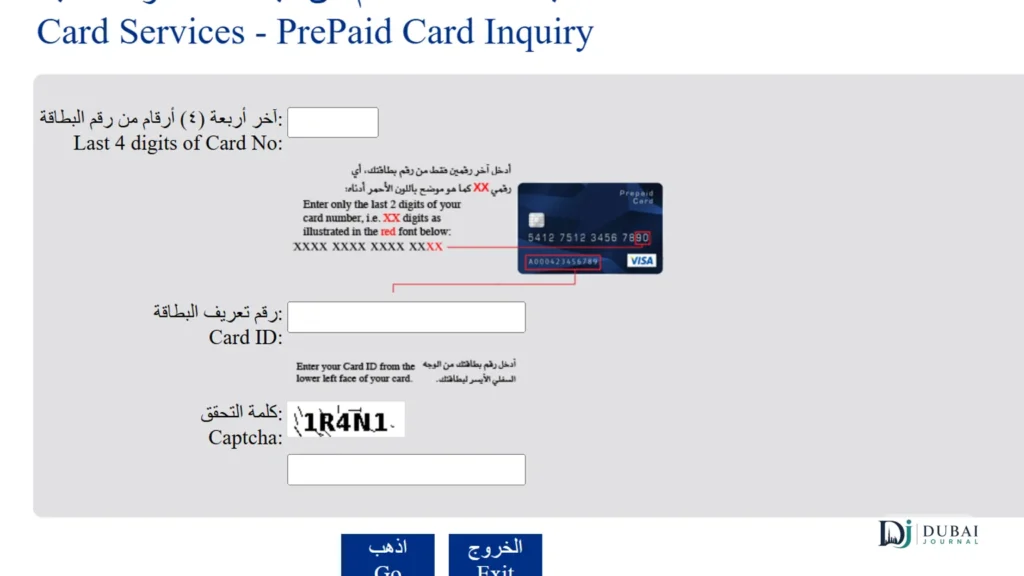
On a Ratibi card, the fastest way to see your salary is the Magnati prepaid card portal. It needs no app and no login, only the last 4 digits of your card and your Card ID. If your salary goes into a regular FAB account, open FAB Mobile and the balance is on the home screen.
There’s an even quicker signal on payday. Check the free SMS alert received on every salary credit, so the text itself tells you the money has landed.
Fastest check by what you hold
| You have | Fastest check | What you need |
|---|---|---|
| Ratibi prepaid salary card | Magnati prepaid card portal | Last 4 card digits and your Card ID |
| Ratibi card already linked to Payit | Payit app dashboard | Your Payit login |
| FAB salary or current account | FAB Mobile home screen | A registered app |
| FAB account, no mobile data | SMS BAL + last 4 account digits to 2121 | Your registered mobile number |
| Any FAB card, no smartphone | FAB ATM or cash deposit machine | Your card and PIN |
Ratibi card: the Magnati portal
The Magnati prepaid card portal is the official Ratibi balance page, linked straight from FAB’s own Ratibi page, and it shows your balance without any registration.
- Open the Magnati prepaid card enquiry portal in any browser.
- Enter the last 4 digits of your card number.
- Enter your Card ID. This is a separate number from the 16-digit card number.
- Complete the captcha and submit.
Ratibi cardholders use Payit, FAB’s digital wallet, rather than FAB Mobile, which is built around FAB bank accounts. Once your card is linked, Payit shows the balance on its dashboard. First-time setup on Payit means scanning your Emirates ID, recording a short video of yourself reading out numbers, and confirming your card, so the portal is quicker for a one-off check.
Payit also offers Money on Demand, a salary advance of up to 50% for Ratibi cardholders. Fees, limits and lost-card steps are covered in the walkthrough of every Ratibi check.
Salary paid into a FAB account
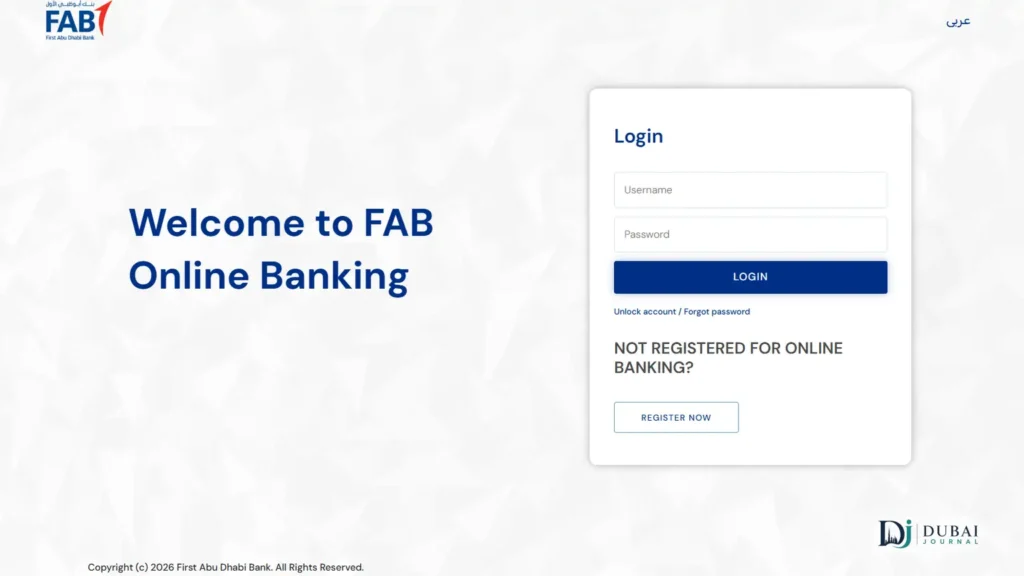
Log in to FAB Mobile and your account balance is on the home screen, with the salary credit in the transaction list once it posts.
First-time registration on FAB Mobile needs:
- your customer number, or your debit or credit card number
- your Emirates ID and a video selfie for verification
- an iPhone or Android phone running a recent OS version
The app works on up to three devices, and balance checks are free. Do the registration before payday, since the video step takes longer than the check itself.
With no data, text BAL, a space, and the last 4 digits of your account number to 2121 from your registered mobile number. The same steps are already shared on online banking and credit card balances post with more detail.
No internet or smartphone
Any FAB ATM or cash deposit machine shows your balance with just your card and PIN, and FAB lists 24/7 ATM and CDM access as free for Ratibi cardholders.
- Insert your card and enter your PIN.
- Choose balance inquiry.
- Read the balance on screen, or print a mini-statement.
To hear your balance by phone, call the line that matches your card:
- Ratibi card: 600 52 2298 within the UAE, +971 2 499 6279 from abroad
- FAB account or card: 600 52 5500 within the UAE, +971 2 681 1511 from abroad
No salary alert and no money on the balance
Ask your employer’s HR or payroll team first. The bank can only credit what the employer’s WPS salary file sends, and most delays start on that side: a late or rejected file, wrong employee details, or a company account that wasn’t funded in time.
- Confirm with HR or payroll that the salary file went out, and on which date.
- If they say it did, confirm the WPS payment with MOHRE to see whether the transfer was recorded.
- If MOHRE shows the salary as paid and your balance still doesn’t, call the Ratibi line (600 52 2298) or FAB (600 52 5500) with your card and Emirates ID ready.
FAQ
Can I check a Ratibi balance by SMS?
No. Ratibi has no SMS balance request. The only text you get is the automatic alert FAB sends free on each salary credit, and BAL to 2121 works for FAB bank accounts only.
Is checking my salary free?
Yes, on the main channels. The Magnati portal has no charge, FAB lists ATM and CDM access as free for Ratibi cardholders, and FAB Mobile balance checks are free.
Does a card with the old NBAD logo still work?
Yes. NBAD merged with First Gulf Bank in 2017 to form FAB, and every check above applies to cards still carrying the NBAD logo.
Before your next payday
- On a Ratibi card, bookmark the Magnati portal and find your Card ID now, not on payday.
- On a FAB account, register FAB Mobile ahead of time so the video verification isn’t holding you up on the day.
- Keep the mobile number on your card or account current, or the salary alert won’t reach you.
- If the salary is late, start with HR, not the bank.
