
If you’re searching for an NBAD balance inquiry, the first thing to know is that the National Bank of Abu Dhabi no longer exists as a separate bank. It merged with First Gulf Bank in April 2017 to form First Abu Dhabi Bank (FAB), and every NBAD account, card, and salary card is now serviced through FAB. Your old card number and account still work. Many cards even still carry NBAD branding, which is why the name keeps showing up in searches. What actually changed is where you check the balance.
The method you need depends entirely on what you hold. A full bank account (current, savings, debit, or credit card) uses one set of channels. A Ratibi or other prepaid salary card uses a completely different one, and picking the wrong method is the most common reason people can’t find their balance. This guide splits the two so you land on the option that works for your card. For a full-account walkthrough, see FAB bank balance.
Quick reference: which method for which card
| Method | Works for | What you need |
|---|---|---|
| Magnati prepaid portal | Ratibi and prepaid salary cards | Last 4 digits and Card ID |
| Payit wallet | Ratibi and prepaid cards | Emirates ID and card details (one-time setup) |
| FAB Mobile app | Full FAB or NBAD accounts | Login (old NBAD credentials work) |
| FAB online banking | Full FAB or NBAD accounts | Username and password |
| ATM | Any FAB or NBAD card | Card and 4-digit PIN |
| Phone banking | Any account or card | Card details for verification |
Do you have a full account or a prepaid salary card?
Your method depends on which of these two you hold:
- Full FAB or legacy NBAD account: you opened a current or savings account, or you hold an NBAD or FAB debit or credit card. You have online banking and the FAB Mobile app, or you can register for them. Go to Check a full FAB or NBAD account below.
- Ratibi or prepaid salary card: your employer pays your wages, up to AED 5,000 a month, onto a card under the UAE’s Wage Protection System, with no bank account attached. This is a prepaid card run through Magnati, FAB’s payments subsidiary. The FAB Mobile app isn’t built for these and often won’t show your card, so skip it. Go to Check a Ratibi or prepaid card below.
Check a Ratibi or prepaid card balance
The fastest official option is the Magnati prepaid card portal, which needs no app and no login. The dedicated Ratibi salary check covers Magnati, Payit, and the helpline in more detail. Three more methods cover you if you’d rather use a wallet app, an ATM, or the phone.
Magnati prepaid card portal (fastest)
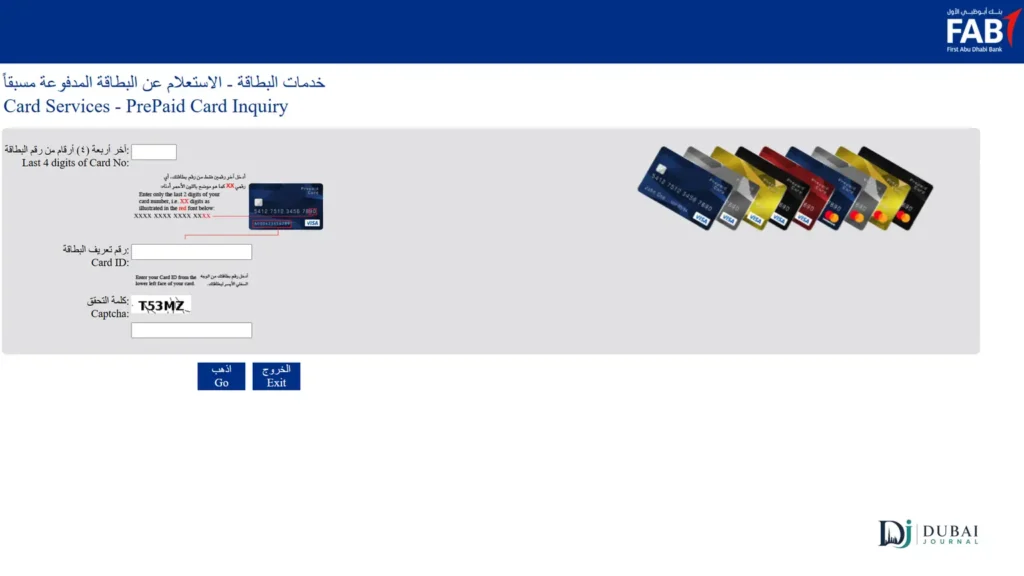
Magnati’s prepaid card inquiry page returns your balance in seconds, and it’s the same tool FAB links from its official Ratibi page. It’s free, runs 24/7, and needs no registration.
- Open ppc.magnati.com/ppc-inquiry in any browser.
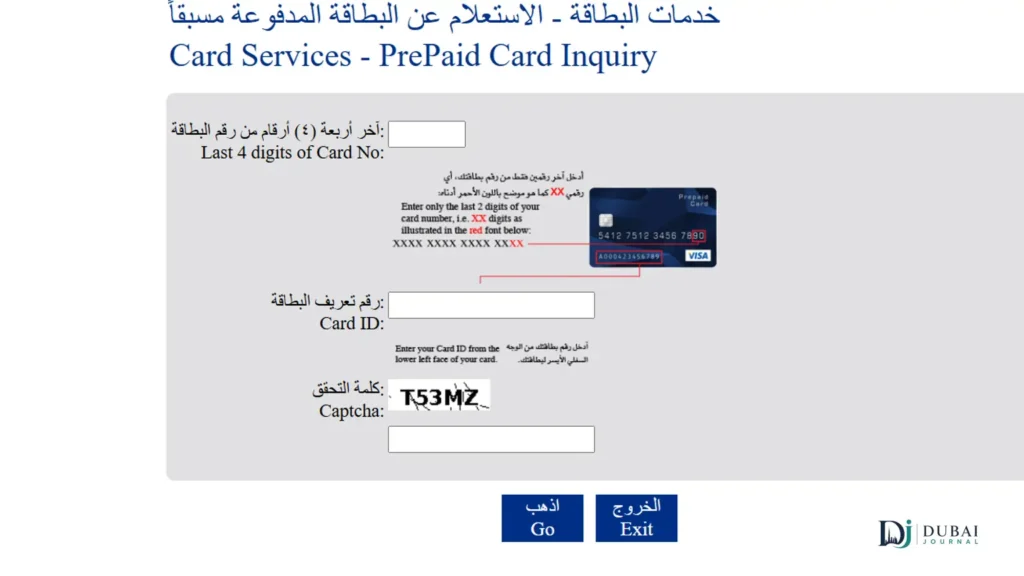
- Enter the last 4 digits of your card number.
- Enter your Card ID (the separate ID number, not the 16-digit number on the front of the card).
- Type the captcha shown on screen.
- Select Go. Your available balance and recent transactions appear straight away.
If the balance won’t load, it’s almost always the Card ID field. See Find your Card ID below.
Payit wallet
Payit is FAB’s own digital wallet, and it lets you link a Ratibi card and check the balance any time from your phone. Setup takes a few minutes once. After that the balance sits on the home screen.
- Download Payit from the App Store or Google Play.
- Open it and choose Ratibi Cardholder at sign-up.
- Scan your Emirates ID when prompted.
- Enter your card details and registered mobile number, then confirm the OTP sent by SMS.
- Set a 4-digit PIN. Your Ratibi balance now shows on the Payit dashboard.
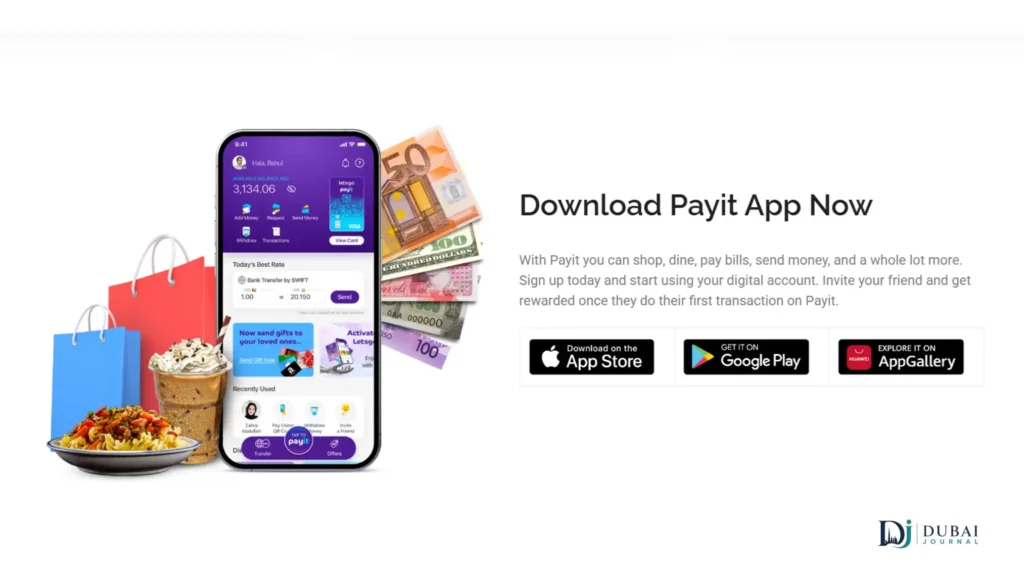
Payit also lets Ratibi cardholders request Money on Demand, a cash advance of up to 50% of salary, which the plain balance portal doesn’t offer. One thing to keep straight: Payit is not the FAB Mobile app. FAB Mobile is for full account holders, and Ratibi cardholders use Payit.
FAB ATM
Any FAB ATM gives you a balance with just your card and PIN, no Card ID needed. Every former NBAD machine is now FAB-branded, and FAB runs one of the largest ATM networks in the country.
- Insert your Ratibi or prepaid card.
- Enter your 4-digit PIN.
- Select Balance Inquiry from the menu.
Balance checks are free at FAB ATMs. A non-FAB machine may add a small enquiry fee, usually around AED 1.
Ratibi call centre
Call the dedicated Ratibi line on 600 52 2298 inside the UAE, or +971 2 499 6279 from abroad. The line runs 24/7. Keep your card and Emirates ID handy, since the system verifies your identity before reading out the balance.
Check a full FAB or NBAD account balance
For a current account, savings account, or an NBAD or FAB debit or credit card, use FAB’s own banking channels. Your old NBAD login still works, so there’s usually nothing to re-register.
FAB Mobile app or online banking
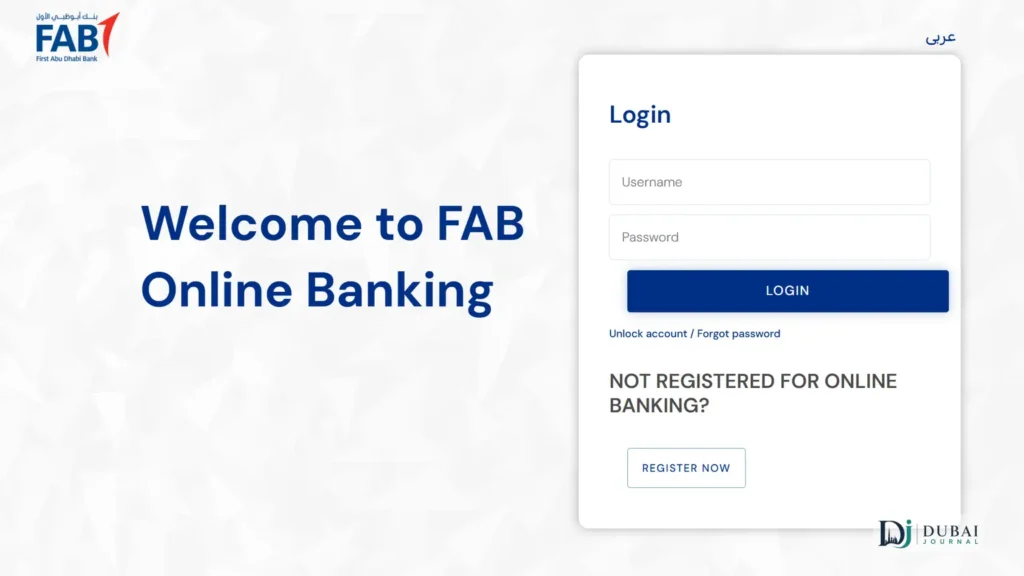
Both show every account and card on one dashboard. Your NBAD username and password carry over unchanged, and the old nbad.com address now redirects to FAB.
- Open the FAB Mobile app, or go to FAB Personal Online Banking.
- Log in with your existing NBAD or FAB credentials, or with biometrics on the app.
- Your balances appear on the home dashboard. Tap an account for recent transactions or an e-statement.
ATM and phone banking
At any FAB ATM, insert your card, enter your PIN, and select Balance Inquiry. To check by phone, call FAB on 600 52 5500 inside the UAE or +971 2 681 1511 from abroad, then follow the automated menu to verify your identity and hear your balance.
Find your Card ID
Your Card ID is a separate identification number, not the 16-digit number printed across the front of the card. The prepaid portal and Payit both ask for it, and entering the main card number by mistake is the usual reason a balance check fails.
If you can’t spot it on the card itself, it’s also in the welcome SMS or email you received when the card was issued. Lost both? Your employer’s HR or payroll team keeps a record, or you can take your Emirates ID and card to any FAB branch and ask.
When your balance won’t show
Most failed checks come down to a handful of fixable causes.
- Salary hasn’t arrived yet. A zero or unchanged balance on payday usually means your employer hasn’t processed the Wage Protection System transfer, not a card fault. You can also confirm the credit through a UAE salary check. Check with HR before assuming something’s wrong, then look again in a few hours.
- Wrong Card ID. On the portal, confirm you’ve entered the separate Card ID and only the last 4 digits of the card number.
- Ratibi card missing from the FAB app. That’s expected, not a bug. The FAB Mobile app is for full accounts, so use the Magnati portal or Payit for a salary card.
- Card lost or stolen. Call 600 52 2298 immediately to block it, then ask your employer for a replacement. A small reissue fee may apply.
- PIN forgotten or never set. Set or reset it at any FAB ATM under PIN Services. You’ll need your registered mobile number to receive a verification code.
Stay clear of lookalike sites
Only enter your card details on the official Magnati portal (ppc.magnati.com) or inside the FAB Mobile or Payit apps. Because so many people search the old NBAD name, the results fill up with unofficial “check your balance here” pages that copy the look of a bank form. A real balance check never asks for your full card number, your PIN, your password, or an OTP. If a page or a caller wants any of those, close it or hang up.
FAQ
Is NBAD still a bank?
No. NBAD merged with First Gulf Bank in 2017 to form First Abu Dhabi Bank. Everything once branded NBAD, including accounts, salary cards, and prepaid cards, now runs through FAB, even if your physical card still shows the NBAD logo.
Do my old NBAD card and login still work?
Yes. Your card number, PIN, and NBAD online-banking username and password all carry over to FAB, and the old nbad.com address redirects to FAB’s site.
Can I check my Ratibi balance by SMS?
Not on demand. Ratibi sends a free SMS alert automatically each time your salary is credited, but there’s no shortcode to text for a live balance. Some guides list one, and it doesn’t work. Use the Magnati portal, Payit, or an ATM instead.
What’s the difference between the FAB Mobile app and Payit?
FAB Mobile is for full account holders. Payit is FAB’s wallet and the app to use for a Ratibi or prepaid card, which FAB Mobile often won’t display.
Is checking my balance free?
Yes, through the Magnati portal, Payit, the FAB app, phone banking, and FAB ATMs. Only a non-FAB ATM might add a small enquiry fee, usually about AED 1.
Which number do I call for a Ratibi card?
600 52 2298 inside the UAE, or +971 2 499 6279 from outside. For a full FAB account, call 600 52 5500.
What to do next
- Holding a Ratibi or prepaid card? Check it on the Magnati portal with your last 4 digits and Card ID, or link it once in Payit for balance checks on your phone.
- Holding a full FAB or NBAD account? Log in to the FAB app or online banking with your existing credentials.
- Locate your Card ID now, from the card, the welcome message, or HR, so the portal works the moment you need it.
- Save the right helpline: 600 52 2298 for Ratibi, 600 52 5500 for a full account.
