
An Al Ansari Exchange PayPlus card is activated when it is issued, so the card you receive from your employer works without a separate activation step. What you set up yourself is registration in the Al Ansari Exchange app, which gives you free balance checks and statements.
The card is a Visa payroll card for salaries paid through the Wages Protection System (WPS). It is a stored value card rather than a bank account or a debit card, and only an employer can request it.
This guide covers what to do with a new card, the app registration steps, every fee and limit, and which number to call for which problem.
Activation & registration overview
| Task | Where | Details |
|---|---|---|
| Card activation | At issuance, through your employer’s enrolment | Depends on an identity check against your Emirates ID |
| App registration | Al Ansari Exchange app (iOS, Android, Huawei) | Free balance inquiries and soft-copy statements |
| Cash withdrawal | Any Al Ansari Exchange branch | Free |
| Lost card or unauthorised transaction | Card call center, +971 4 377 2640 | Report disputes within 30 days |
| General questions | Hotline, 600 54 6000 | 8:00 AM to 12:00 midnight |
Is the card already active?
Yes. A PayPlus card is activated at issuance, subject to a successful identity check against your Emirates ID, so the card you receive is ready to use once your salary has loaded.
Before the first use:
- Sign the back of the card as soon as you receive it.
- Keep the Welcome Kit from the card pack, which carries the card’s contact details.
- Memorise your PIN and never write it down next to the card.
- Carry your original Emirates ID, since Al Ansari can ask to see it for identity checks.
If the card is declined at first use
Common causes are a salary that has not loaded yet, a balance lower than the amount (pending holds count against it), and a PIN disabled after three wrong entries.
The card only works while it is in credit, and salary reaches the card once Al Ansari receives it from the Central Bank of the UAE. If the balance is still zero after payday, you can verify the WPS transfer through MOHRE before raising it with your employer.
Each declined transaction costs AED 2 + VAT, so check the balance in the app before trying an ATM again. If the salary shows and the card is still declined, call the hotline listed below.
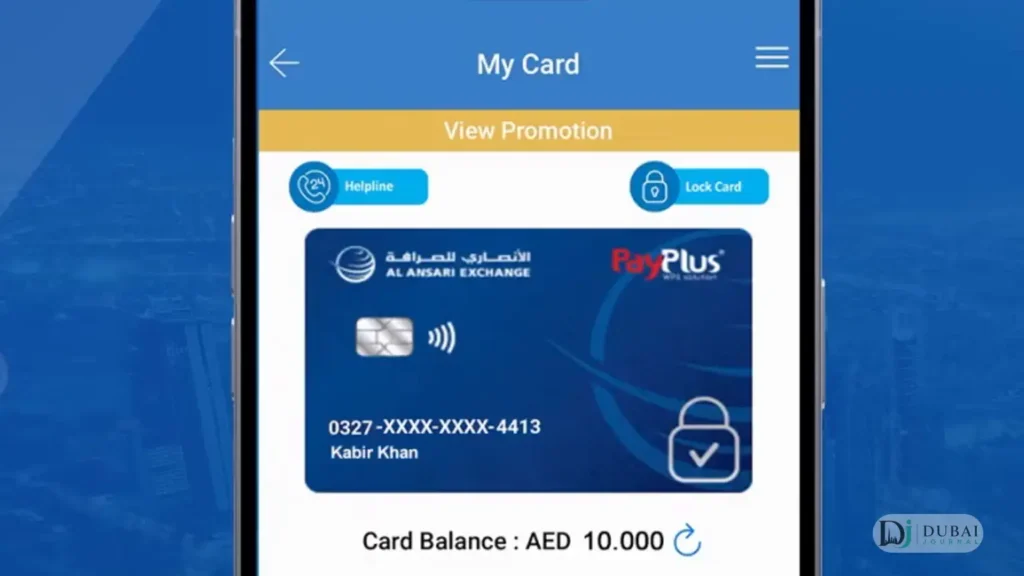
Register in the Al Ansari Exchange app
Registration needs a mobile number and your Emirates ID details, and it can be completed at home without a branch visit.
- Install the Al Ansari Exchange app from the App Store, Google Play or Huawei AppGallery, the exact name is Al Ansari Exchange Send Money.
- Tap Register/Login and enter your mobile number. Signing up through UAE PASS is the alternative route.
- Enter the OTP sent to your phone by SMS.
- Add your Emirates ID details when the app asks for them.
- Accept the terms and conditions.
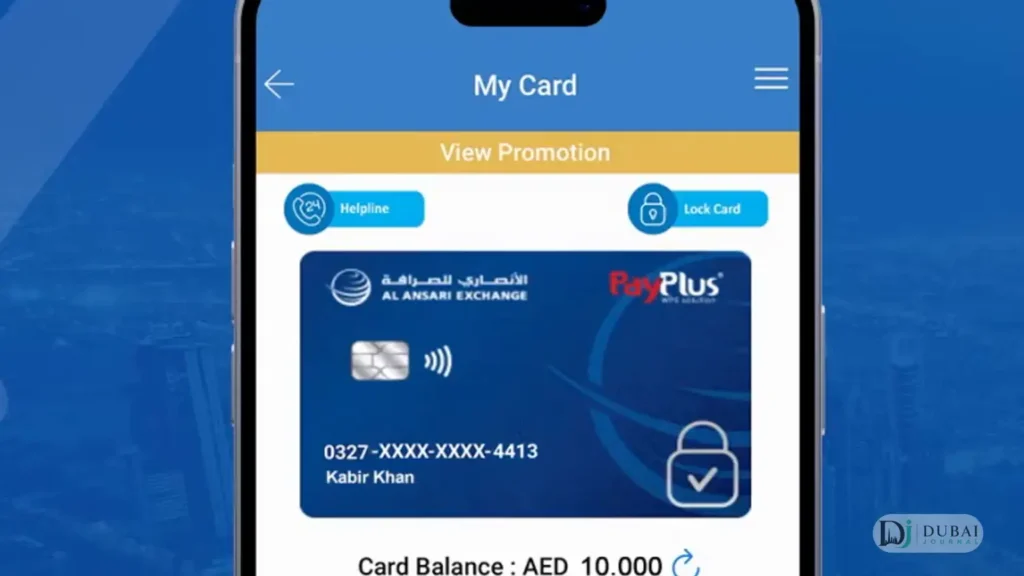
- Open My Cards and select the PayPlus card to see its balance.
The name in the app comes from your Emirates ID. After a name change, update the Emirates ID first, then visit any Al Ansari Exchange branch to update the app profile.
Balance inquiries in the app are free, and so are soft-copy statements. A hard-copy statement covering up to six months costs AED 20 + VAT.
Branch & phone support
- Branch: any Al Ansari Exchange branch handles card queries the app cannot, and cash withdrawals there are free.
- Hotline: 600 54 6000, from 8:00 AM to 12:00 midnight.
- Card call center: +971 4 377 2640 for a lost or stolen card and for unauthorised transactions. The call center for card queries runs 24/7.
A complaint sent to Al Ansari gets a reference number within one business day. If it is not resolved within 30 business days, it can go to Sanadak, the UAE’s independent consumer protection unit for financial services.
Fees
The PayPlus fee charges per event, and all amounts exclude VAT.
| Event | Fee |
|---|---|
| Withdrawal at an Al Ansari branch | Free |
| Domestic ATM withdrawal | AED 2.00 + VAT |
| Domestic ATM balance inquiry | AED 2.00 + VAT |
| GCC ATM withdrawal | AED 6.00 + VAT |
| GCC ATM balance inquiry | AED 3.00 + VAT |
| ATM withdrawal outside the GCC | AED 15.00 + VAT |
| ATM balance inquiry outside the GCC | AED 5.00 + VAT |
| Domestic or international POS purchase | Free |
| Declined transaction | AED 2.00 + VAT |
| Replacement card | AED 25.00 + VAT |
| PIN issuance or reset | Free |
| Currency conversion on international transactions | 2.1% |
A branch withdrawal costs nothing, while each domestic ATM withdrawal costs AED 2 + VAT. Four ATM withdrawals in a month add AED 8 + VAT that a branch visit avoids, and an ATM balance inquiry adds AED 2 + VAT on top.
International purchases carry the 2.1% conversion fee, and Visa sets the exchange rate. Hotels and car rental companies can place a temporary hold above the bill, which lowers the available balance until it clears.
Limits & loading rules
| Rule | Amount |
|---|---|
| ATM withdrawal limit | AED 5,000 per day (midnight to midnight, UAE time) |
| Maximum balance | AED 199,999, with any excess left unloaded |
| What can be loaded | Salary only |
| Minimum balance | None |
The card has no interest and no top-up option for the cardholder. Only the employer’s salary payment adds money to it.
Using the card
- Withdraw cash at ATMs displaying the Visa logo in the UAE or abroad, with the fees above.
- Pay in shops and online wherever Visa is accepted.
- Send money at Al Ansari Exchange branches.
- Refunds for purchases made with the card go back onto the card.
The balance shown on an ATM screen or slip can differ from the real available balance while transactions are pending.
Lost card, PIN & disputes
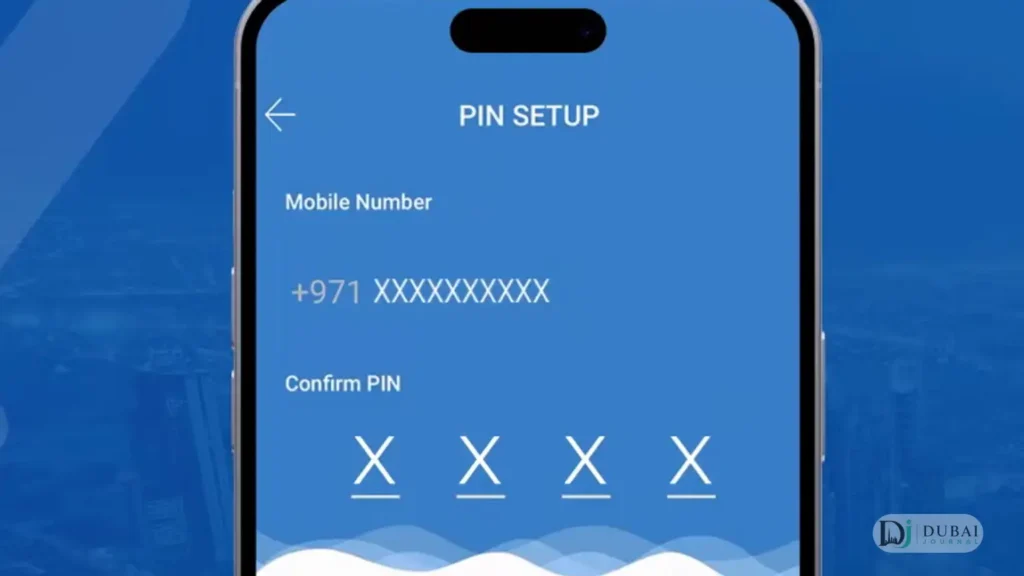
- Wrong PIN: three incorrect entries disable the PIN, and Al Ansari has to be contacted to restore it. PIN issuance and reset are both free.
- Lost or stolen card: call the card call center at once. The card is suspended, and a replacement costs AED 25 + VAT with the required documents.
- Unauthorised transaction: report it immediately and no later than 30 days after the debit date. Download the dispute form, complete it, and email it to the address printed on the form.
- PIN and OTP: Al Ansari never asks for either.
For employers
A company registers by completing the WPS form and submitting it with the required documents to any Al Ansari Exchange branch. Salaries are then processed through the eExchange.ae portal or at a branch.
The employer requests a card for each employee over 16, and requests to deactivate an employee’s card also come from the employer.
FAQ
Do I need to activate my Al Ansari PayPlus card?
No. The card is activated at issuance, after an identity check against your Emirates ID. You register in the Al Ansari Exchange app to check the balance and download statements.
Can I apply for a PayPlus card myself?
No. The card is issued at your employer’s request, and the employer can request it for employees over 16 at any Al Ansari Exchange branch.
Can I use the card online & abroad?
Yes, wherever the Visa logo is displayed. Overseas ATMs cost AED 6 + VAT per withdrawal in the GCC and AED 15 + VAT elsewhere, and international transactions carry a 2.1% conversion fee.
What happens if I enter the wrong PIN three times?
The PIN is disabled. Contact Al Ansari to restore it; PIN reset is free.
Is PayPlus the same as FlexiblePay?
No. FlexiblePay is a separate reloadable prepaid card that a customer buys directly, with its own activation options and fees. This guide covers the payroll card.
How much does a replacement PayPlus card cost?
AED 25 + VAT.
What to do next
- Check the balance in the app after your next salary date to confirm the card is loaded.
- Save 600 54 6000 and +971 4 377 2640 in your phone.
- Sign the card and memorise the PIN.
- Use an Al Ansari branch for cash withdrawals to skip the AED 2 + VAT ATM fee.

1 pingback